Sunday, 1 April 2012

Hello Examiner

Welcome to my A2 Media Blog. The above posts contain: My music video, my Magazine advert and The album artwork. The posts below will visually show my thought processes as the product developed from the initial idea, to final products. My Evaluation questions are on separate pages which are  on to top of my Blog.


Ben Ressa 9172
OCR A2 Media Studies
April 2011
Video Brief:
To create a music video along with its ancillary products.


Saturday, 21 January 2012

Legalities page


Every album I have has a page in the booklet with all vital and important information. Firstly I had to mention that 'Blink-182' is...(band members) I made a point to reference who the rights belong to. Of course all the rights for the music belong to the band and the producers. The FBI warning is inside the booklet for 'Neighbourhoods' and because this is an American product. Because 'Up All Night' is the single from 'Neighbourhoods' so I felt it was nesesery to keep the FBI warning.

BACK COVER OF BOOKLET

Sunday, 1 January 2012

ORGANISING SHOTS FOR CAR SCENE

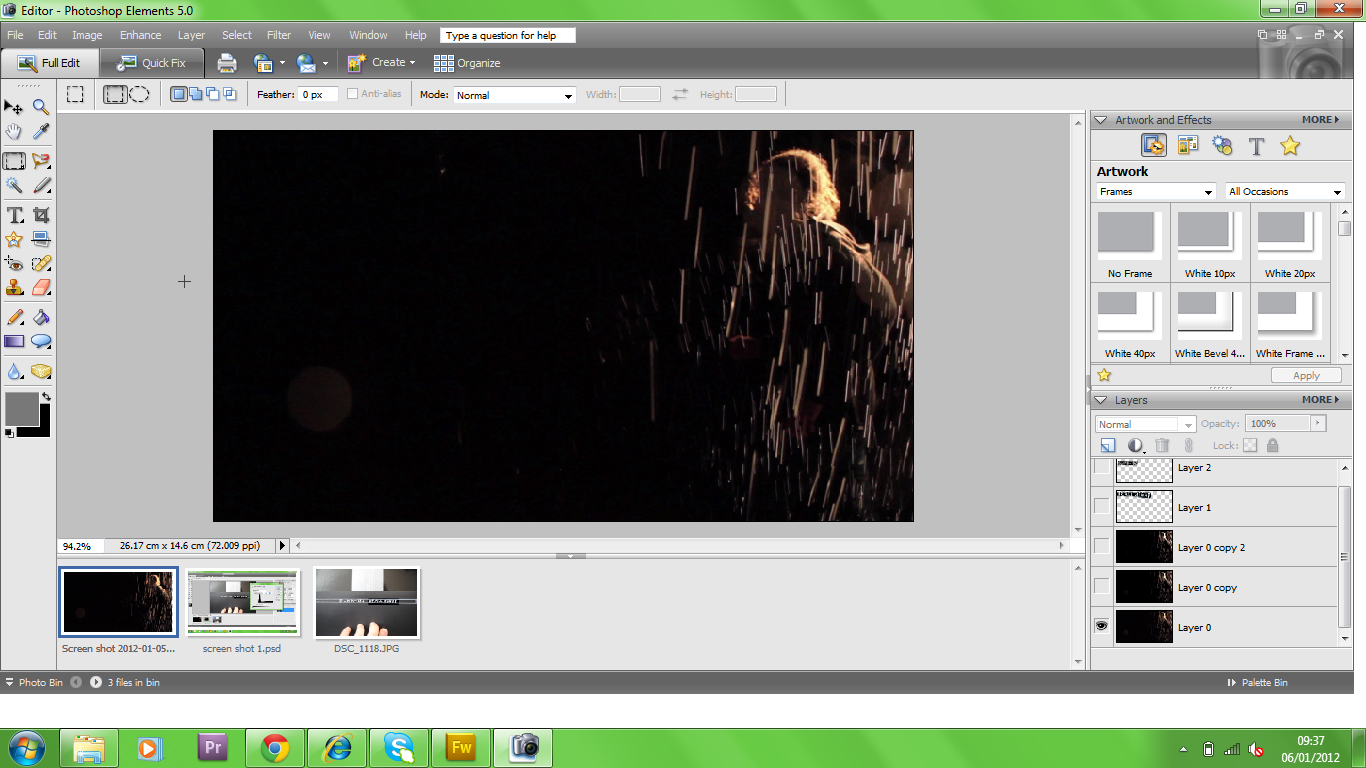
Before I filmed the car sequence I had to plan the shots. This sequence was particularly difficult, because the actor (George) cannot actually drive, and also I needed it to be raining. To solve this issue I had to split the sequence to 2 separate shots. We filmed the car driving along the roads, where I had to drive it along the different locations. I rang up George to let him known when I was coming, so he could get ready to film the car coming past. We had the issue of 'L' plates being on the car, so I had to place them at a different  side of the car depending on what side the camera would be filming. After we filmed the footage of the car on the roads, I parked the car in my driveway, where I set up a sprinkler on top of the car, to give the illusion of rain hitting the windscreen. I also had my mum rotating a halogen light to the side of the car, to give the appearance of the car travelling past street lighting.
Above is a digram of the street and where we set up the camera.


In this shot I set up the camera right in front of the car, and then we reversed the car away from the camera. In Adobe Premier I was able to reverse the speed of the shot, so that instead of the car travelling away from the camera, it comes right up close to the camera, and makes a dramatic stop.

These are the shots taken in my drive where we had a sprinkler on top of the car. There is a light that was set up in front of the scene to create enough light to film the sequence, and then there is a light to the side which was able to rotate to look like street lights. The camera was set up in various places to look like George was driving.

In this shot the car window was open, and we had a shot where the camera moves from the outside of the car , to the inside. In Adobe After effects we then created a CGI window for the camera to travel through.

Saturday, 31 December 2011

ORGANISING SHOTS AND ANGLES FOR THE STAGE PERFORMANCE WITH CELTX

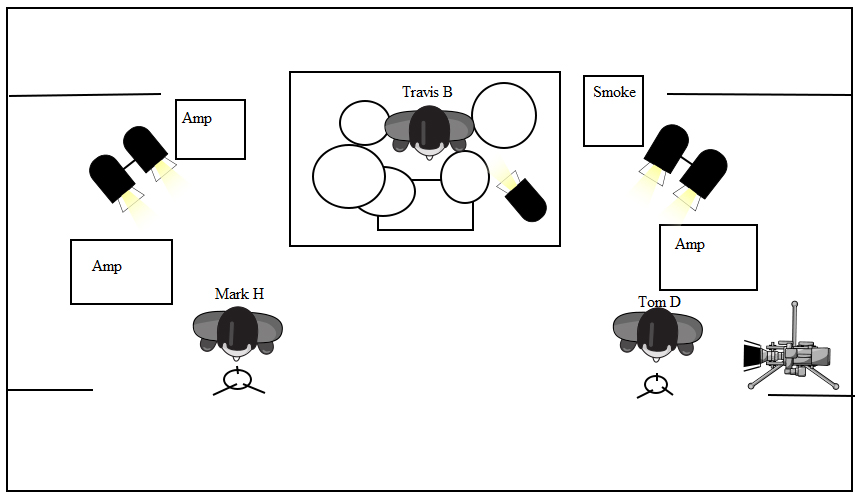
Before I filmed the stage performance I looked at the shots I had decided on in my story board and shot list, and then I decided to plan these shots on a programme called Celtx. This allowed me to have an overhead diagram of everything I needed in the shots, from actors to props and equipment.
  
Above is a shot where the dolly is set up behind Travis (the drummer) and the camera will move constantly along the dolly throughout the song creating energetic and exciting shots.

Here the dolly is set up in front of the stage, where it will pan across the stage focusing on Mark and Tom (the singers)

This is a hand held camera shot which will feel a lot more bumpy and therefore capture a rawness and energy in the shots. Also having a hand held camera allows the camera man to move around more freely.

This tripod is set up in front of of Tom Delonge's Microphone, intending to capture emotion from the face.

The camera is on a jib that will swing smoothly up, down, and around the stage.

The camera is set on a tripod below Travis's drum kit. 

This camera is set on a tripod to the side of Tom. However Mark is also in shot.

Wednesday, 21 December 2011

GREEN SCREEN

This is a photo I have created from the green screen shot I posted Previously. I was experimenting removing the green screen on Adobe Photoshop, and then replacing it with the art work I have created. This is hopefully what my special features will look like.

Tuesday, 20 December 2011

FILMING FOR SPECIAL FEATURES

This is a screen print from a shoot we did on December the 19th 2011. With filming almost completed, George the main actor (to the left of the image) and I sat down to discuss the project as a whole. Ranging from the initial idea, to the small details I have tried to include. All for the Special Features aspect of the CD.

We filmed by a green screen, this means that on Adobe After Effects I will be able to delete the green and have George and I sitting in front of various art work created for the project, and parts of the film that we will be discussing. In this shot you can also see the boom mic which we used to record all of the sound.

Monday, 19 December 2011

CD DESIGN ADVANCED

After looking at many different CD's Most of them have small righting on them to cover the rights for the song. On mine I have had to mention that all rights are reserved for 2011 universal and Geffen records and the band blink 182.

Friday, 2 December 2011

COLOUR CORRECTION

When I filmed my footage, I found that lots of the colours and lights were 'too harsh' and they did not look natural within the film. Also The theme of the video is quite dark and sad, and bright colours did not fit in with the idea of the video.

I found out how to 'Colour correct' through online tutorials on the website 'Video Copilot'  I found out that to make the effect to work, you add a grey filter over the footage, you select this by going on video effects. You have to alter the opacity of this filter, and it gives the appearance of toning down the light and colour. I then altered the 'RGB curves' and moved the Red, Greens and Blues until the shots looked more natural.